Update, 07/16/26
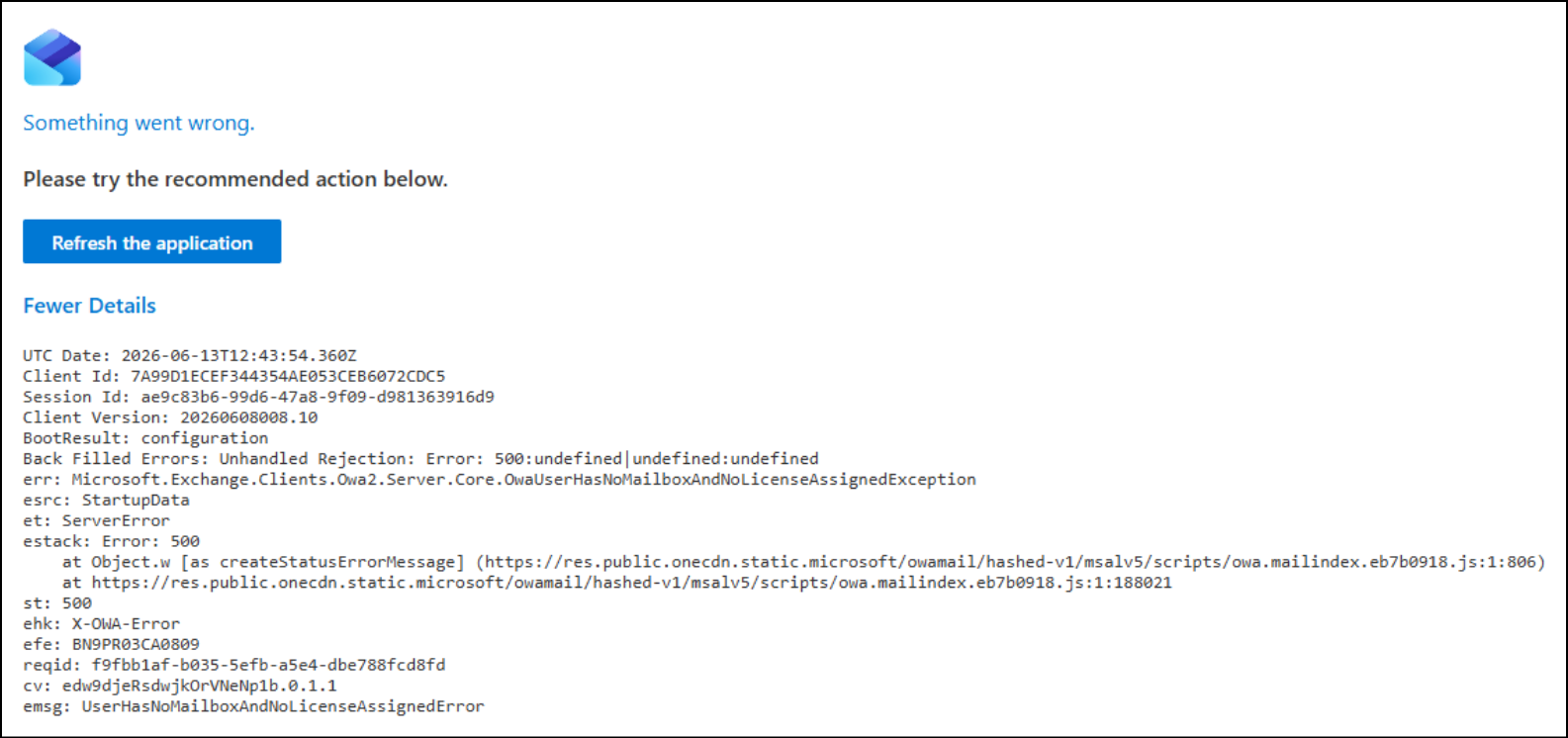
Some students have reported the following errors when trying to access their student email through Outlook
500:undefined or UserHasNoMailboxAndNoLicenseAssignedError
This error means your individual student email box cannot be accessed.
Any messages sent to a student mailbox with this error will bounce back to the sender as undeliverable.
Fixed for individual students, waiting on overall fix from Microsoft
Our escalation team is able to apply a fix to individual mailboxes as they get reported to us.
We are working with Microsoft to resolve the larger issue causing the Outlook error. Some students are still experiencing the NoMailbox error.
What happens to messages sent while the mailbox is down? Undeliverable Messages
With this error it's as if the mailbox does not exist. Messages sent to the mailbox will bounce back as undeliverable.
Anyone sending messages to your mailbox will get an error letting them know the message was undeliverable.
These messages will need to be sent again when the mailbox is fixed.
Contact the Student Help Desk
Students who continue to experience the error should contact the Student IT help desk.
Stuhelpdesk@gwinnetttech.edu | 678-226-6407
Please include your:
1) First and last Name
2) Gwinnett Tech Student ID number
3) Screenshot of the error message OR Copy/Paste the error message text
4) Which semester you are currently enrolled in - Summer 2026 or Fall 2026
Tech Support is aware of the problem and we are working with Microsoft to resolve this issue as quickly as possible.
We do not have an exact time frame for when it will be resolved.
Try these basic troubleshooting steps:
Try logging in after clearing the cache and rebooting
Students that were previously experiencing the error should try logging in to Outlook through the student dashboard now.
We recommend clear the browser cache and rebooting if you continue to have difficulty accessing Outlook
https://gwinnetttech.edu/dashboard/
Use the right Browser and Device
Be sure you are using a Google Chrome or Firefox browsers on a Windows or Mac device.
You may need to clear the browser cache and reboot.
Wait 24 hours and try again
Some students are still experiencing the Outlook error
Students who continue to experience the error after trying these troubleshooting steps, should contact the Student IT help desk
Stuhelpdesk@gwinnetttech.edu | 678-226-6407
If you need tech support with anything else please let us know.
You can send us a message, give us a call, or come see us in person in the front lobby in building 100 on the Lawrenceville campus.
Tech Support desk on campus, hours and location.
Thank you
Student Tech Support
Stuhelpdesk@gwinnetttech.edu | 678-226-6407
https://gwinnetttech.edu/helpdesk
Frequently asked questions can also be found on our webpage.